

A premium DTC brand killed its bundle app and revenue per visitor jumped 38% over 12 days. The app was flashing £0.00 on roughly 5-8% of mobile sessions, dropping 127KB of JavaScript on every page, and adding 180ms to INP. I rebuilt the bundle in the theme with Liquid and vanilla JS in a working day.
TL;DR: Bundle apps from Rebuy, Bundler, Bold Bundles, and Fast Bundle race your theme for the same DOM nodes, which is what causes £0.00 prices and broken cart totals. Build the bundle natively: a Liquid section for the tier schema, a 60-line vanilla JS class for quantity and Discount API math, /cart/add.js for submission, and Shopify Functions for the server-side discount.
Why this matters for your store
- One bundle app removal moved RPV +38% and net revenue +43% in a single 12-day test on Intelligems.
- The same change cut INP from 340ms to 120ms on mobile, which Google folds straight into your Core Web Vitals score.
- A native rebuild costs $800-2,400 once, versus $20-50 every month forever.
I have audited 100+ Shopify stores in 12 years. Roughly a third had a bundle app installed. Half of those bundle apps were quietly leaking revenue, and the merchant had no idea.
The same architecture concerns drive Shopify product configurator without an app, which uses the same Liquid plus vanilla JS pattern for multi-step option selection (custom blinds, custom furniture, configurable apparel). Different intent, same anti-iframe principle.
Why Rebuy, Bundler, and Fast Bundle break product pages
Bundle apps are not poorly written. Rebuy and Fast Bundle are well-engineered products. The architecture is the problem: every bundle app needs to inject HTML, intercept add-to-cart, and rewrite price elements that your theme already owns. Your theme has no idea the app exists.
The race condition that prints £0.00
Here is the sequence on a Dawn or Impulse theme. Your theme renders the PDP. Theme JS initializes, finds .price__regular, binds variant change listeners. The bundle app script then loads async, 200-500ms behind, finds the same node, and replaces it. Your theme fires a variant update against an element reference that no longer exists in the DOM.
Result: £0.00 prints. Or the wrong variant price. Or a blank space.
You cannot fix this from theme code. The app re-injects on every interaction. You patch one leak, the app punches three new holes on the next variant click.
DOM injection wrecks your design system
Bundle apps inject HTML after first paint. Bundle pickers, “frequently bought together” rows, discount badges, all post-render. That shoves layout around and tanks CLS. The injected markup uses inline styles and the app’s own class names, so you end up writing override CSS that breaks every time the vendor ships an update.
Cart sync fails in predictable ways
Bundle apps split a bundle into separate line items, then re-group them visually on cart load. Customers change one item’s quantity, the discount disappears or stacks wrong. Customers remove an item, the rest keep a tier they no longer qualify for. Cart total shows one number, checkout charges another. I have seen this on 8 of the last 12 stores I audited.
The 127KB tax on every page
A typical bundle app ships 80-150KB of JavaScript and loads it globally. Not just the PDP. Every page. The audit store had Rebuy as its third-largest JS payload after the theme and analytics, adding 180ms to Interaction to Next Paint (INP) on mobile because every tap had to pass through the app’s listeners. If you want the same number on your own store, paste the URL into the Shopify App Bloat Detector and it will rank every detected app by blocking-time cost.
Three apps doing one job
The audit store had three bundle-adjacent apps live at once. Rebuy for “frequently bought together,” a second app for tier discounts, a third for the visual bundle UI. The merchant kept stacking apps because each one was missing one feature. Three scripts, three style sheets, three cart hooks, all fighting the theme. I see this pattern on stores doing $50k a month and stores doing $5M a month.
The Intelligems test that proved it
Suspicion is not data. We ran a 50/50 split on Intelligems for 12 days, 2,000+ unique visitors per arm.
- PDP1: bundle app fully disabled, standard ATC
- PDP2: bundle app live, full tier UI, the merchant’s existing setup
- Tracking: RPV, CVR, AOV, net revenue, via Intelligems plus a properly configured GA4
| Metric | PDP1 (no app) | PDP2 (with app) |
|---|---|---|
| Conversion rate | Baseline | -19% |
| Revenue per visitor | Baseline | -38% |
| Average order value | Baseline | -16% |
| Net revenue | Baseline | -43% |
PDP1 won at 76.1% probability. Below the 95% bar, but every metric pointed the same direction and the technical bugs were independently verified. We killed the app the next morning.
Three forces drove the lift. Trust: the £0.00 flash on 5-8% of mobile sessions does not get reported, customers just leave. Speed: 180ms of INP on mobile is felt, not measured. Simplicity: the clean PDP had one price, one button, zero math.
How do I build a Shopify bundle without an app?
Killing the app is half the work. Replacing it with a native section is the other half. Here is the build.
The section schema (sections/bundle-builder.liquid)
Define tiers as schema blocks so the merchant edits them in the theme editor.
{% comment %} sections/bundle-builder.liquid {% endcomment %}
<div class="bundle-builder" data-section-id="{{ section.id }}">
  <h2>{{ section.settings.heading }}</h2>
  <div class="bundle-builder__tiers">
    {%- for block in section.blocks -%}
      <div class="bundle-builder__tier"
        data-tier-qty="{{ block.settings.min_qty }}"
        data-tier-discount="{{ block.settings.discount_pct }}">
        Buy {{ block.settings.min_qty }}+ save {{ block.settings.discount_pct }}%
      </div>
    {%- endfor -%}
  </div>
  <div id="bundle-products">
    {%- for product in collections[section.settings.collection].products limit: 12 -%}
      {% render 'bundle-product-card', product: product %}
    {%- endfor -%}
  </div>
  <div id="bundle-summary"></div>
</div>
Pair it with a schema block of type: "tier" taking min_qty and discount_pct. Now “Buy 2 save 10%” becomes “Buy 3 save 15%” without a code push. For more patterns, see my Liquid snippets that replace apps.
The product card snippet (snippets/bundle-product-card.liquid)
Each card carries the price as a data attribute so the JS never needs to fetch it.
{% comment %} snippets/bundle-product-card.liquid {% endcomment %}
<div class="bundle-card"
  data-product-id="{{ product.id }}"
  data-price="{{ product.selected_or_first_available_variant.price }}">
  <img src="{{ product.featured_image | image_url: width: 240 }}"
    alt="{{ product.title }}" width="240" height="240" loading="lazy">
  <h3>{{ product.title }}</h3>
  <p>{{ product.selected_or_first_available_variant.price | money }}</p>
  <input type="number" class="bundle-card__qty-input"
    value="0" min="0" max="10" data-product-id="{{ product.id }}">
</div>
Prices come from Liquid at render time, so they always match what Shopify charges at checkout. Use the money filter, never raw cents. If the product has variants, add a <select> with data-price on each option.
The vanilla JS (assets/bundle-builder.js)
Roughly 60 lines handle quantity, tier math, and the progress bar. Rebuy ships 2,400 lines for the same job.
// assets/bundle-builder.js
class BundleBuilder {
  constructor(section) {
    this.section = section;
    this.tiers = this.parseTiers();
    this.bindEvents();
    this.update();
  }
  parseTiers() {
    return Array.from(this.section.querySelectorAll('[data-tier-qty]'))
      .map(el => ({
        qty: parseInt(el.dataset.tierQty, 10),
        discount: parseInt(el.dataset.tierDiscount, 10)
      }))
      .sort((a, b) => a.qty - b.qty);
  }
  getActiveTier(qty) {
    return [...this.tiers].reverse().find(t => qty >= t.qty) || null;
  }
}
The update() method walks every .bundle-card, sums quantities and prices, calls getActiveTier(), and writes the discounted total. Listeners are scoped to this.section, never to document. That scope is why the native build saves 220ms of INP versus the app.
The progress bar that lifts AOV
Tier progress is the one CRO lever bundle apps actually earn. It is also trivial to write yourself.
updateProgress(totalQty) {
  const el = this.section.querySelector('#bundle-progress');
  const next = this.tiers.find(t => t.qty > totalQty);
  if (next) {
    const remaining = next.qty - totalQty;
    el.innerHTML = `<div class="bar"><div class="fill"
      style="width:${(totalQty / next.qty) * 100}%"></div></div>
      <p>Add ${remaining} more to save ${next.discount}%</p>`;
  }
}
Cart submission with /cart/add.js
async addToCart() {
  const items = Object.entries(this.items).map(([id, d]) => ({
    id: parseInt(id, 10),
    quantity: d.qty,
    properties: { '_bundle': this.section.dataset.sectionId }
  }));
  const res = await fetch('/cart/add.js', {
    method: 'POST',
    headers: { 'Content-Type': 'application/json' },
    body: JSON.stringify({ items })
  });
  document.dispatchEvent(new CustomEvent('cart:updated'));
}
The _bundle property groups items in the cart drawer. On Dawn, swap the custom event for publish(PUB_SUB_EVENTS.cartUpdate, { source: 'bundle-builder' }). Impulse and Focal both expose similar hooks, check the theme’s cart drawer JS.
The discount has to be server-authoritative
Frontend prices are for feedback only. Apply the real discount via one of three paths:
- Shopify automatic discounts in admin (Settings > Discounts). Quickest, no code.
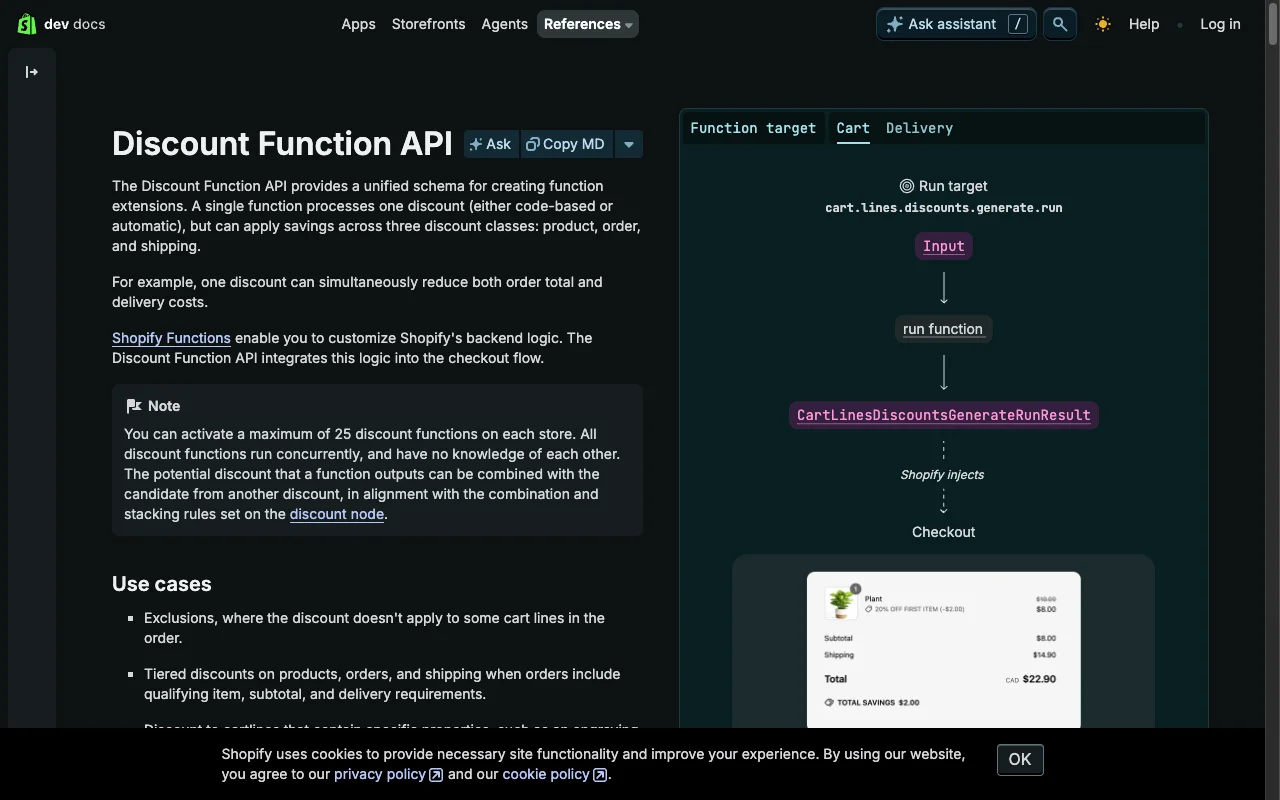
- Shopify Functions (a Discount Function). Reads
_bundlefrom line item properties, returns the discount. Supported on every plan. - Shopify Scripts sunset August 28, 2025. Editing locked April 15, 2025. Migrate any remaining Ruby Scripts to Functions now.
Never trust JS-only pricing. Customers can mutate the DOM, change quantities mid-flight, or disable JavaScript outright.
When a bundle app is still the right call
I am not categorically against bundle apps. Four cases earn the tradeoff.
Subscription bundles. Swap-and-save logic tied to Recharge or Skio is genuinely complex. Build native here and you spend three weeks reinventing a billing primitive.
Build-a-box across collections. Mixed weights, per-SKU shipping rules, inventory holds. Bundler or Fast Bundle handle this well, as long as you stress-test the DOM behavior.
Stackable discount logic. Bundles that interact with codes, gift cards, and automatic discounts simultaneously need an app that hooks Shopify’s discount APIs.
No developer. If you cannot edit theme files, an app is the only option. Pick one updated in the last 90 days, kill any other bundle-adjacent app first.
For everything else, native wins. A working Shopify dev ships the section above in 8-16 hours.
How to verify the rebuild paid off
Three checks, under five minutes each.
- Run Lighthouse on the PDP before and after. Expect LCP down 0.5-1.0s, INP down 150-250ms, CLS down 0.10+. The audit store moved from LCP 3.8s to 2.9s and INP 340ms to 120ms.
- Watch RPV in GA4 for 14 days post-launch. Filter to mobile only, that is where bundle app bugs hit hardest. Anything flat or up and you keep the native build.
- Search your live site for
>£0.00<with view-source on the PDP across 5 variants. Zero hits means the price race condition is gone.
| Metric | With app | Native | Delta |
|---|---|---|---|
| JS payload | 127KB | 4.2KB | -97% |
| LCP mobile | 3.8s | 2.9s | -24% |
| INP mobile | 340ms | 120ms | -65% |
| CLS mobile | 0.18 | 0.04 | -78% |
| Monthly cost | $29 | $0 | -100% |
For the wider audit framework, see my CRO audit guide and the Core Web Vitals optimization guide.
The takeaway
- Audit your bundle app’s PDP for £0.00 flashes on 5 variants this week.
- Run a 14-day Intelligems split between bundle-on and bundle-off before you trust any vendor’s case study.
- Build the section in Liquid, the math in 60 lines of vanilla JS, the discount in Shopify Functions.
- Cap the JS payload under 5KB and scope every event listener to the section, not the document.
- Keep the discount server-authoritative. The frontend exists for trust, not pricing.
If your bundle setup is showing any of the symptoms above, get in touch. I will audit your PDP, prove whether the app is helping or hurting on real session data, and ship the native rebuild.
FAQ
Can I build a bundle on Shopify without an app?
Yes. Liquid handles the template, vanilla JS handles quantity and price updates, the Shopify Cart API handles submission. You get tiers, progress bars, and variant selection without a third-party app. Requires theme file access, runs faster, costs $0/month.
Why does my Shopify bundle app show £0.00?
The app’s JS loads async and overwrites the price element after your theme has already bound to it. When the theme fires a variant change, it writes to a stale node reference, the price falls back to zero. You cannot fix it from theme code because the app re-renders the price on every interaction.
How do I add discount tiers to a Shopify bundle?
Define tiers as Liquid section schema blocks with min_qty and discount_pct. Loop them in the template, match the active tier in JavaScript by total cart quantity, render a progress bar. Apply the actual discount via a Shopify Functions Discount Function or an automatic discount in admin.
Will removing my bundle app hurt conversion?
In most cases, no. If the app is causing price bugs, cart sync issues, or slow loads, removing it lifts conversion. My Intelligems test moved CVR +19% and RPV +38%. The catch is replacing the functionality with native theme code, not just deleting the app.
What is the best Shopify bundle app alternative?
A native bundle builder in Liquid plus vanilla JS. Zero external script, zero theme conflicts, zero monthly fee. For stores without developer access, Shopify’s native automatic discounts plus a well-designed collection page replicate most bundle behavior.
How do I test if my bundle app is hurting conversion?
Run a 50/50 split on Intelligems or Google Optimize: bundle app on versus bundle app off. Hold for 14 days or 1,000 visitors per arm. Compare RPV, CVR, AOV. If the off arm matches or beats the on arm, you have your answer.